Name: sailfish-media-volume-keys
Display name: Volume Keys control Media, Alarms or Ringtone
Author: Ada
Updated at: Nov. 19, 2026, 9:29 a.m.
Description: Choose what the volume keys control: Media (default), Alarm or Ringtone. Plus a volume setting for alarms and timers, which Sailfish OS doesn't have.
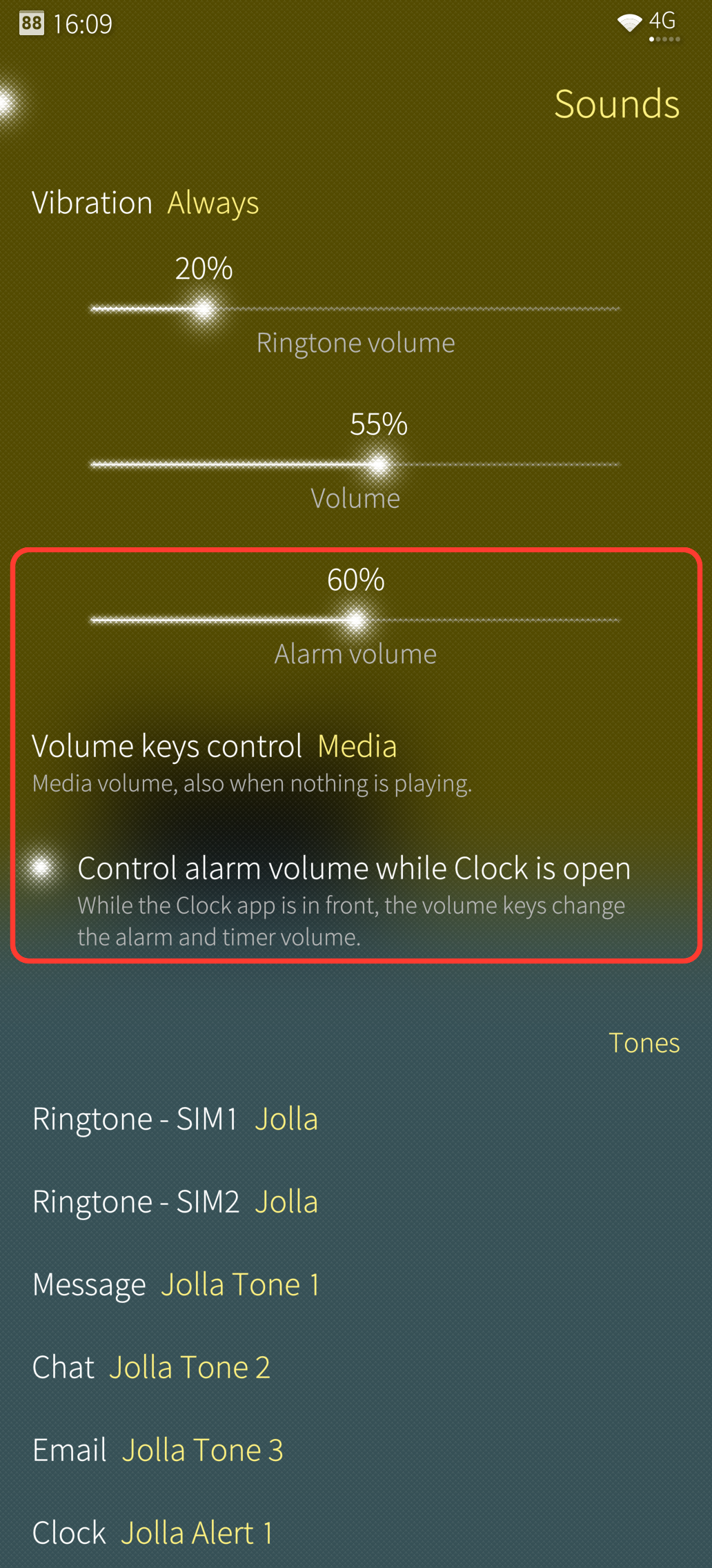
Everything is in Settings > Sounds and feedback, below the volume sliders:
- Alarm volume: for wake-up alarms and timers. Never below 20 %, so an alarm is never silent.
- Volume keys control: Media, Alarm or Ringtone (calls always control call volume)
- Control alarm volume while Clock is open (on by default).
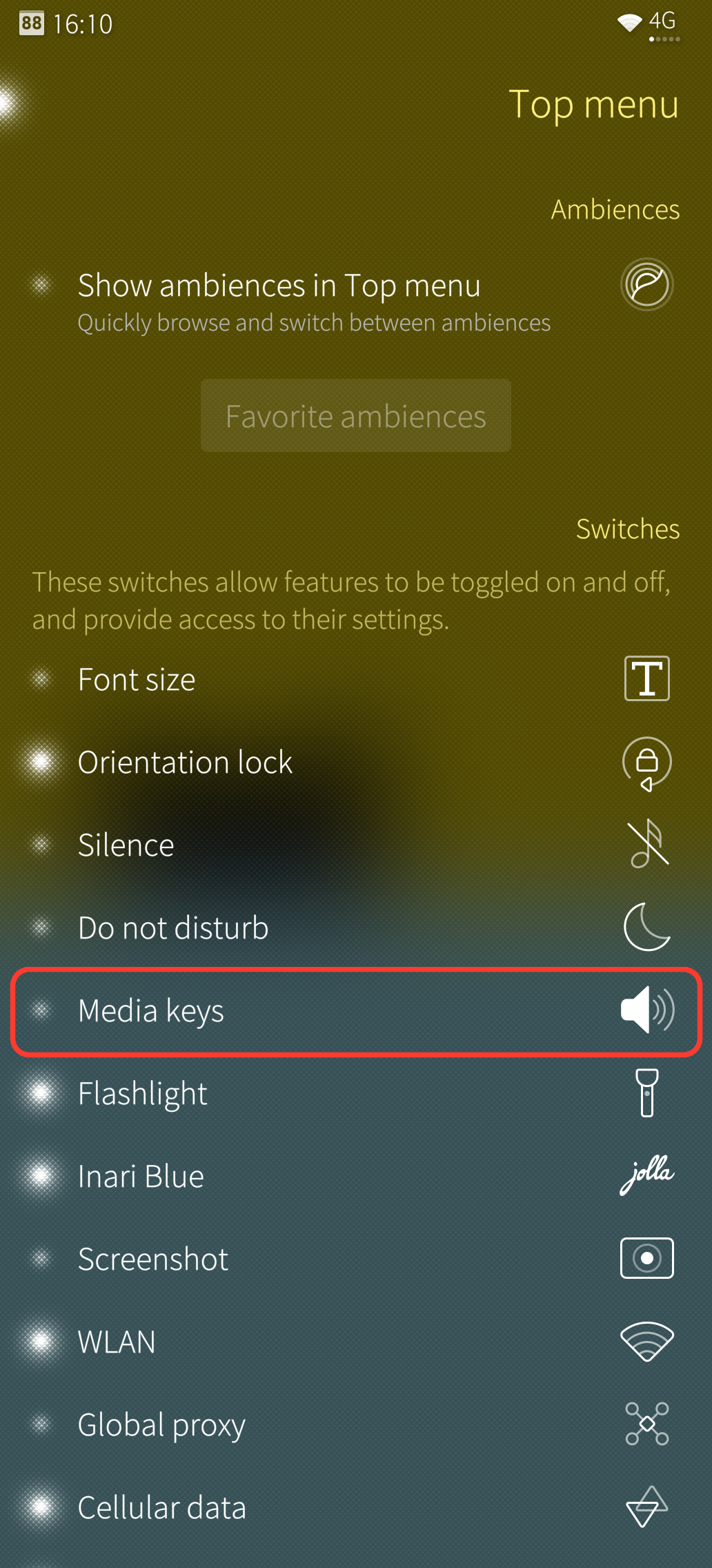
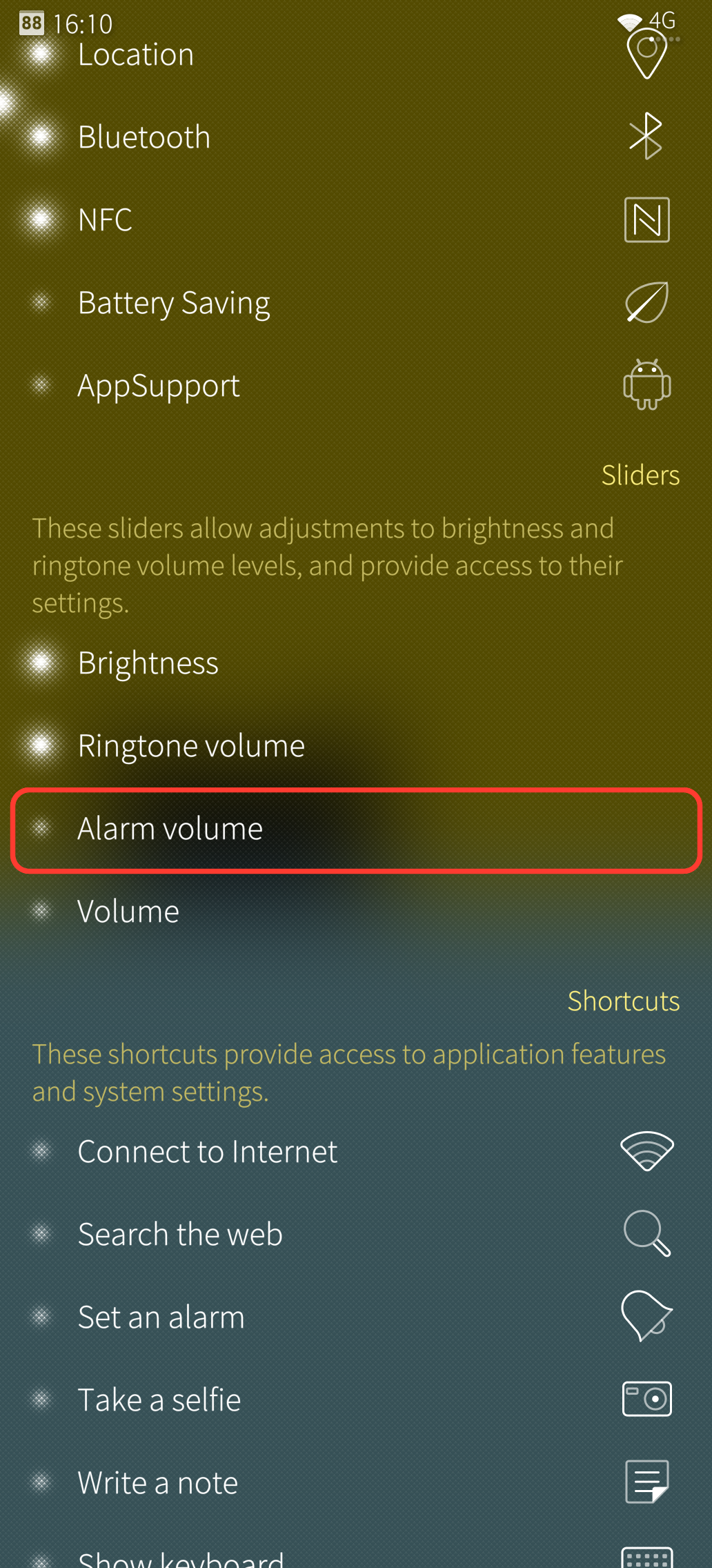
Top menu (Settings > Top menu): Alarm volume slider and Media keys toggle.
After activating: Patchmanager > pull down > Restart preloaded services (or reboot). If you installed an older copy and the volume keys still behave like stock, reboot once.
Changes VolumeControl.qml (homescreen) and SoundsPage.qml (Settings); other patches changing the same lines can't be active at the same time. Tested on the Jolla Phone 2026. Deactivating the patch brings back the stock behaviour.
Rating: 3
Total activations: 60
Files:
-
Version: 2.0.0
Compatible: 5.2.0.22
Uploaded at: Nov. 19, 2026, 9:29 a.m.
Activations: 60
Changelog: First version in the web catalog (same patch as the v2.0 RPM on GitHub).